

100 Nonfiction Book Cover Templates Package
100 nonfiction cover layouts you edit in your browser, plus the lessons to finish them

NONFICTION BOOK COVER TEMPLATES
If your cover looks amateur, readers assume your advice is too.
Nonfiction readers are deciding whether you know your stuff, and the cover is the first proof they see. Start from one of 100 nonfiction cover templates for business, self-help, memoir, how-to, history, wellness and cookbooks, and edit it right in your browser. No Photoshop and no design software.


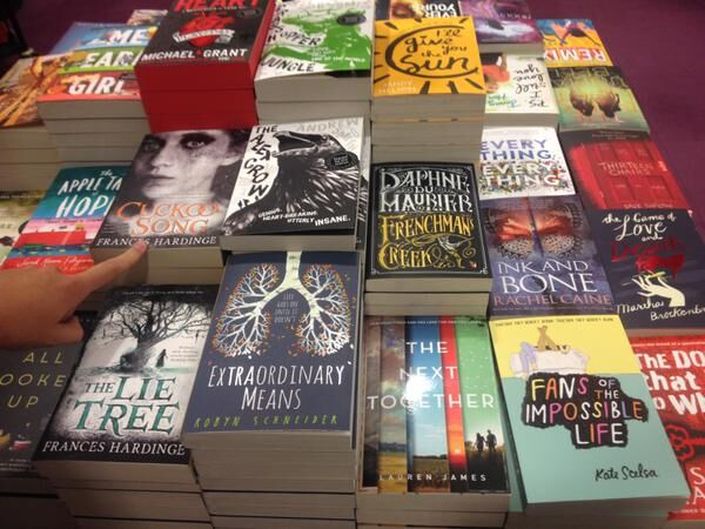
A few of the 100 nonfiction templates.
- 100 nonfiction templates that open in my online cover tool: change the title, subtitle, author name, colors and fonts, and swap in your own image.
- The lessons to finish them: finding your images (a 40-minute video), changing the text, and blending images.
- Two courses included: Cover Design Secrets that Sell, with 150 more cover templates for Microsoft Word (70 of them nonfiction), and DIY Book Formatting for the inside of the book.
One payment, lifetime access, 30-day money-back guarantee.
A nonfiction cover has one job at thumbnail size
Someone scrolling Amazon sees your cover the size of a postage stamp. In about a glance, it has to tell them what the book is about, who it's for, and that the author is worth listening to. The golden rule of book design: be clear before you're clever.
Most homemade nonfiction covers miss in the same places: a title you can't read at that size, a font that looks like a novel or a flyer, a stock photo that says nothing about the topic, or too many things fighting for attention.
I learned this the hard way. I made the cover for my own first self-published book. I spent months on it, and it was busy and hideous. I've designed almost a thousand covers since, and these templates start you with the layout and fonts already worked out for a nonfiction book.
100 templates, built for nonfiction
Self-help, business, memoir, biography, history, wellness, cookbooks, poetry collections and how-to guides. Each one gives the title room and contrast, and leaves a clear spot for your subtitle and name.


After you enroll, the templates page shows all 100. Click a cover and it opens in the online cover tool, ready to edit. There's nothing to install.
From template to your cover
1. Pick the layout closest to your topic
Click it on the templates page and it opens in the tool.
2. Make it unmistakably your book
Replace the example image with one you have the rights to use (the Finding Your Images lesson shows you where to look), then change the title, subtitle, author name and colors. Changing the colors as well as the image keeps your cover from looking like anyone else's. Some templates use commercial fonts; if you don't own one, swap in a free font.
3. Do the paperback and the inside
For print, the full print cover templates in Cover Design Secrets show you how to add the spine and back. For the inside, the included DIY Book Formatting course has Word and InDesign templates and lessons for print and ebook.
Try the cover tool before you buy
These templates only open in my online cover tool, not in Word or Photoshop. So open a few of the free templates in the tool first, at diybookcovers.com/covercreator, and see if you like working in it. If you'd rather work in Word, the 150 Word templates in the included cover course are there too.
If you're publishing soon, do the cover before anything else. Every ad, promo and review request points people at it, and the cheapest time to fix a cover is before you pay to promote the book.
Your instructor
I've spent decades studying philosophy, art history and literature, and I put myself through grad school as an editor and then a book cover designer. I've designed almost a thousand book covers, and I've spent over a decade trying to make cover design something authors can do themselves.
PhD in Literature. A few of the covers I've designed have hit the USA Today and Wall Street Journal bestseller lists. Featured in CNN for renting castles.
What authors say about my cover templates and tutorials
"Many great, self-published books languish in obscurity simply because of poor packaging. The savvy author understands the necessity of a stellar cover, but often lacks the skills or the funds to create it. Derek offers an excellent opportunity for authors to design a cover at a DIY price, but with professional design results."
Kimberley Grabas, Your Writer Platform
"Following Derek Murphy's cover tutorial is akin to peeking over the shoulder of a design master. I could hardly believe that it was possible to create a cover myself. I am not a graphic designer - far from it - but in the end, I felt that I had created a cover that was workable. Give Derek's tutorial a try. At the very least, it can help you see what's important in cover design."
C.K. MacLeod, Tech Tools for Writers
"The customizable templates and clear instructions enable DIY authors to create an unending supply of gorgeous book covers. I'm really impressed both with the templates themselves, and how using them makes me feel like a rockstar designer, even though I've had absolutely no formal training. I'm saving a ton of money on cover design and am not beholden to anyone else's schedule."
Alyssa Archer, Writership
Course Curriculum
Courses Included with Purchase


Original Price: $134
Got Questions?
30-Day Money-Back Guarantee
Open the templates, try a few in the tool and watch the lessons. If the package isn't what you needed, email support within 30 days of your purchase and you'll get a full refund.
Your book took months, maybe years, of what you know. Give it a cover that looks like it.